

The control panel Minecraft hosts actually run.
BadgerOS installs on a server owner's own machine in one command and gives them a real control panel for the servers they already have — start and stop, live console, backups, players, plugins, and an AI assistant that can operate the server for them.
The problem
Someone running a Minecraft server for their friends or their community has
two options today. Rent managed hosting and pay monthly for hardware they
may already own, accepting whatever panel the host bundles. Or run it
themselves over SSH, editing YAML by hand and restarting things with
screen. The first takes away control; the second takes away
evenings.
The panel and the hosting are sold as one product. We think they're two, and only one of them is worth paying for every month.
The product
BadgerOS is the panel, unbundled. It runs on the customer's own box, finds the servers already on disk, and manages them in place — nothing is migrated, nothing is uploaded, and their world files never leave the machine they're already on.
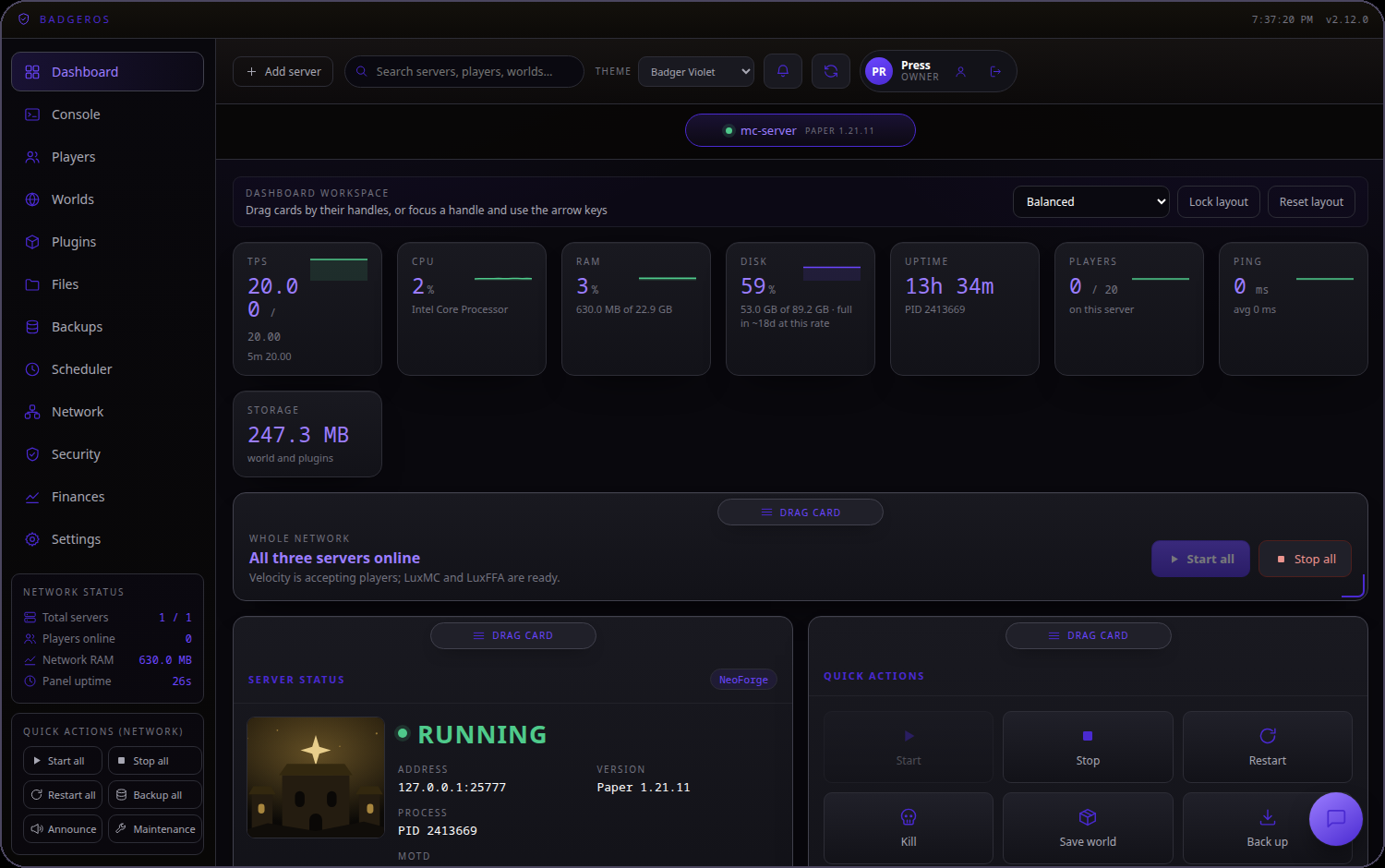
Real console, not a log tail
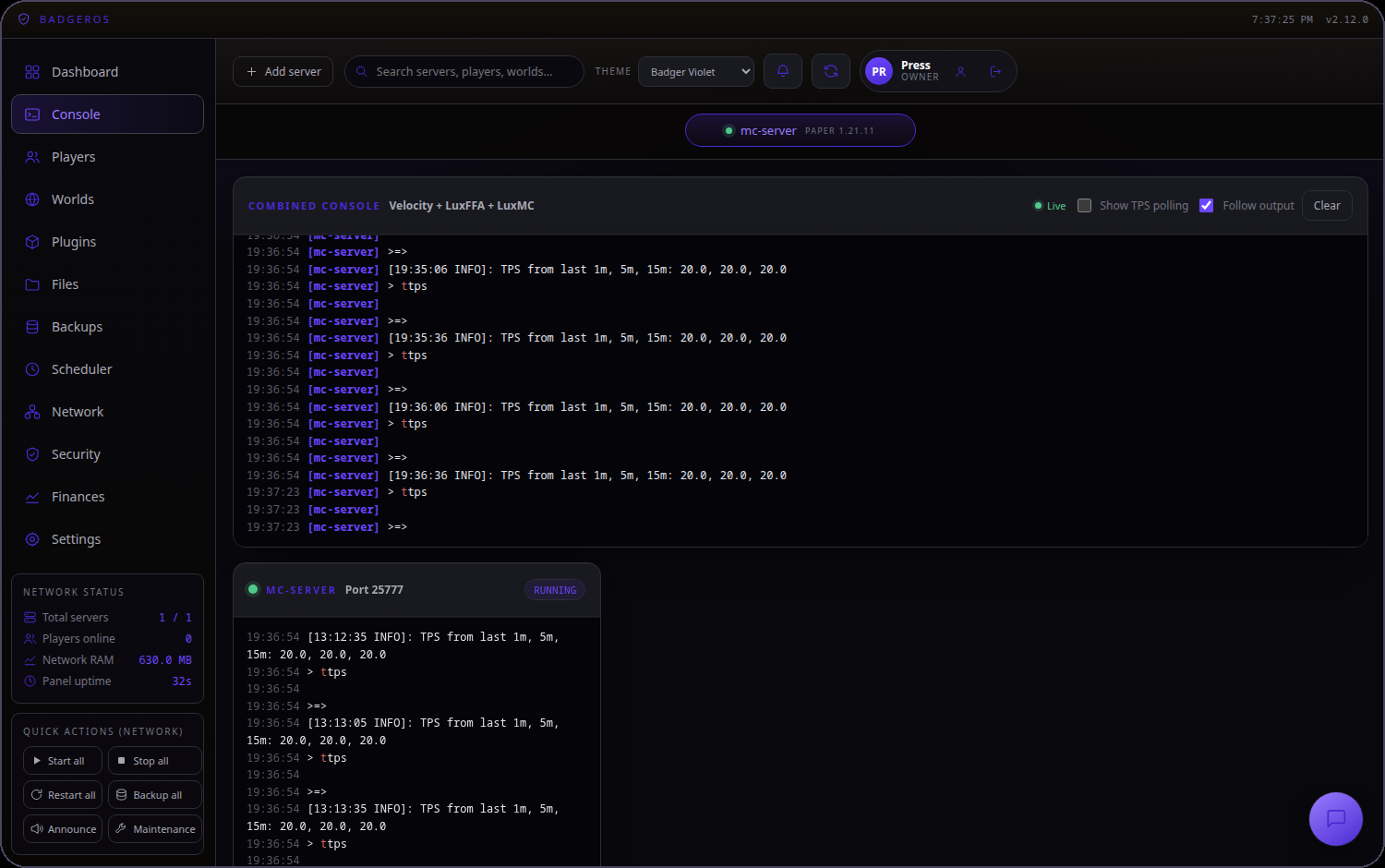
Full scrollback with colour, and a command line that talks to the running process — the same thing an admin would get over SSH, in a browser.
Backups that restore
Scheduled, retained, and restorable in place, with world-save pausing so a snapshot is never taken mid-write.
Networks, not just servers
Velocity proxies and their backends are managed as one network, with start ordering and routing checks built in.
Where it gets interesting
Every install already has sandboxed file and shell access to its own server directory, and a live handle on the running process. That makes an AI assistant genuinely useful rather than decorative: it can read the configs, run the commands, check the console, and restart the server — and it's confined to that one directory by the operating system, not by a prompt.
The same access makes it a plugin author, not just an operator. It can write a plugin against the server's actual version and loader, build it, install it into the right directory, and load it — then read the console to see whether it worked and fix it if it didn't. The gap between "I wish my server did X" and a server that does X collapses to a conversation.
It is the difference between "ask the AI how to fix your server" and "ask the AI to fix your server."
Business model
Free
One server, full control, forever. This is the distribution channel — it costs us almost nothing because the software runs on their hardware.
Premium — $9/mo
Multi-server networks, banking and finance, webhooks, scheduling, security monitoring, signed auto-updates.
AI assistant — $20/mo
Stacks on either plan. Bring your own model key, or buy usage through us at a margin on metered tokens.
Because the software runs on the customer's machine, gross margin does not erode with usage the way it does for a host. The one variable cost we do carry — AI tokens — is metered per install and marked up, so it scales with revenue instead of against it.
Why it defends itself
It lives where the data is
Managing a server in place needs a process on that box. Once BadgerOS is the thing running the servers, replacing it means a migration.
Privacy is structural
We never hold world files, player data, or credentials. That is a property of the architecture, not a policy we promise.
Updates are already solved
Signed releases install themselves and roll back on failure — so shipping to every install is routine rather than a project.
See it running
The demo below is a real BadgerOS install managing a real Minecraft server — not a mock. Start it, stop it, type into the console.